

iPhone Not Turning On After Drop? Here’s What to Do
November 20, 2026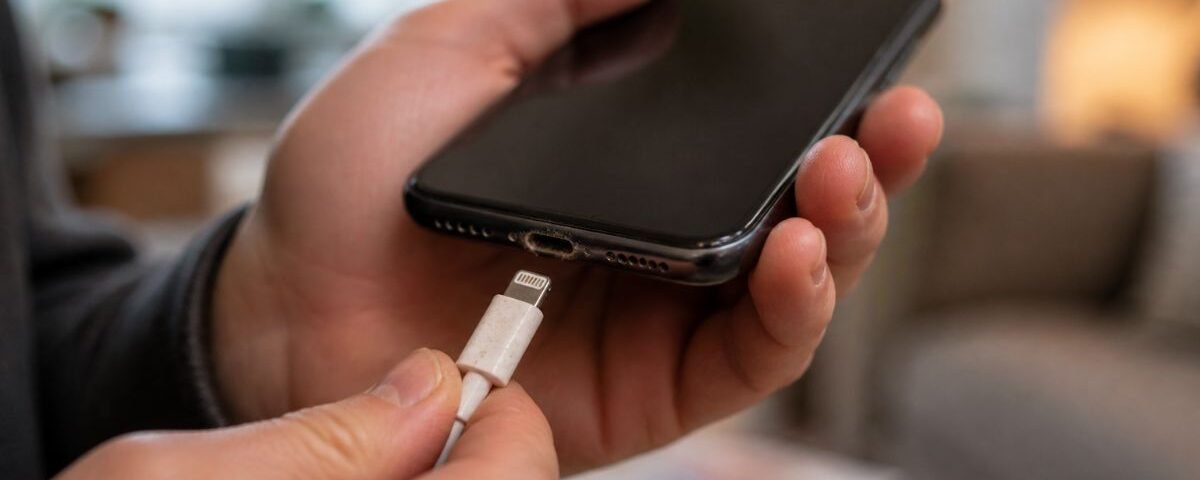
Your phone may not charge properly even when you connect it to a working charger. If the charging cable keeps disconnecting, the battery charges slowly, or your device only responds when the cable is positioned at a certain angle, the charging port may be damaged or blocked. Dust, debris, moisture, and everyday wear can affect its performance. Recognizing these warning signs early can help prevent further damage. WeFixAll provides professional phone charging port repair services to help restore reliable charging and keep your device working smoothly.
7 Signs Your Charging Port Is Failing
The Cable Only Works at a Certain Angle
One of the most common signs of a damaged charging port is when your phone charges only if you hold the cable at a specific angle.
You may notice that the charging icon appears when you move the cable slightly but disappears as soon as you release it. This can happen because the internal charging contacts are worn, damaged, or blocked by debris.
If changing the cable doesn’t solve the problem, your charging port may need professional inspection.
The Charging Cable Feels Loose or Wobbly
Your charging cable should fit securely inside the port. If it feels loose, falls out easily, or moves around more than usual, something may be wrong.
Dust and pocket lint can prevent the cable from connecting properly. However, if the port itself moves when you insert the cable, its internal components may be damaged.
WeFixAll can inspect the charging connection to identify whether cleaning or charging port repair is needed.
Charging Is Slow or Keeps Starting and Stopping
Does your phone repeatedly connect and disconnect while charging? Or does it take much longer than usual to gain battery power?
These problems may indicate an issue with the charging port or its internal connections.
However, slow charging can also result from battery problems, faulty accessories, or charging circuit issues. Proper diagnosis helps identify the actual cause.
Your Phone Won’t Charge at All
If your phone doesn’t respond when connected to a charger, the charging port could be damaged.
Before assuming the port has failed, try another compatible charging cable and adapter. Also, check for dust or debris inside the connector.
If your phone still refuses to charge, a technician should inspect the charging port, battery, and charging circuitry.
You Can See Bent Pins, Corrosion, or Packed Debris
Take a look inside your phone’s charging port using a flashlight. You may notice dust, lint, corrosion, or damaged internal contacts.
These issues can prevent the charging cable from making a proper connection.
Water exposure and accidental damage can also affect the internal components. If you notice bent pins or corrosion, avoid inserting anything into the port and get professional assistance.
Your Phone Gets Hot While Charging
Some warmth during charging is normal, but excessive heat should never be ignored.
A damaged charging connection or internal electrical problem may cause unusual heating.
If your phone becomes extremely hot, unplug it immediately. If you notice a burning smell or visible damage, stop using the charging port and arrange a professional inspection.
You Have to Push the Cable in Hard
Your charging cable should connect smoothly without requiring excessive force.
If you need to push, twist, or adjust the cable repeatedly, debris or damage inside the charging port may be responsible.
Avoid forcing the connector because doing so can damage the internal contacts and make the problem worse.
Is It the Charging Port, Cable, or Battery?
Not every charging problem is caused by a damaged port. Sometimes, the issue comes from the charging cable, adapter, or battery.
You can perform these simple checks to narrow down the problem.
The Four-Step Charging Test
Swap the Cable and Adapter
Try a different compatible charging cable and power adapter that work with another device. If your phone starts charging normally, the original accessory may be faulty.
Look Inside the Charging Port
Turn off your phone and inspect the charging port using a flashlight. Look for dust, lint, debris, or visible damage.
Check the Connection
Connect a compatible cable gently. If it feels unusually loose or charging disconnects with slight movement, the port may have a connection problem.
Test Wireless Charging
If your phone supports wireless charging, try placing it on a compatible wireless charging pad.
If wireless charging works but wired charging doesn’t, the charging port or its connection may be the problem.
How to Understand Your Results
- Works with another cable: Your original charging accessory may be faulty.
- Works after removing lint: Debris was likely blocking the connection.
- Wireless charging works but wired charging doesn’t: The charging port may need inspection.
- Neither charging method works: The battery or internal charging circuitry may be responsible.
If these checks don’t identify the problem, WeFixAll can help diagnose your phone and determine the appropriate repair.
Why Does My Phone Say “Liquid Detected” When It’s Dry?
Some smartphones display a liquid detection warning when moisture is detected inside the charging connector.
However, the warning doesn’t always mean your phone has been exposed to water. Dust, lint, debris, or a faulty connector can sometimes cause charging detection problems.
What Should You Do?
- Disconnect the charging cable immediately.
- Allow the charging port to dry naturally.
- Avoid using heat or compressed air.
- Check the port for visible dust or debris.
- Restart your phone and check whether the warning disappears.
- If the alert continues, arrange a professional inspection.
Never put your phone in rice. Small particles can enter the charging port and cause additional problems.
If the liquid detection warning keeps appearing despite the port being dry, WeFixAll can help identify the underlying issue.
How to Safely Clean a Charging Port
Dust, lint, and pocket debris can accumulate inside your charging port over time. This buildup may prevent the cable from connecting properly.
Before attempting to clean the port, follow these precautions.
What You Should Do
- Turn off your phone before cleaning.
- Use a flashlight to inspect the charging port.
- Use an appropriate non-conductive cleaning tool.
- Remove visible debris gently without applying pressure.
- Allow the port to remain completely dry before reconnecting the charger.
What You Should Avoid
- Never use metal pins, needles, or paper clips.
- Don’t apply excessive pressure to the internal connector.
- Avoid inserting sharp objects into the port.
- Don’t use compressed air or heat on a wet charging port.
- Stop cleaning if you notice bent or damaged contacts.
DIY cleaning has limitations. If debris is stuck deep inside or the charging connector appears damaged, professional cleaning and inspection are safer options.
When Should You Get Professional Charging Port Repair?
Some charging problems can be resolved by changing a cable or removing surface debris. However, certain warning signs indicate that professional repair may be necessary.
Consider getting your phone inspected if:
- The charging port has bent or missing pins.
- The connector moves when you insert the cable.
- Your phone repeatedly disconnects while charging.
- You notice corrosion or water damage.
- Your phone becomes unusually hot during charging.
- Charging doesn’t work after trying compatible accessories.
At WeFixAll, technicians can inspect your phone’s charging connection and identify whether the issue involves the port, battery, or internal charging circuitry.
How to Choose a Reliable Phone Repair Service in Canada
Choosing the right repair service is important for protecting your device and ensuring the problem is properly resolved.
Before getting your phone repaired, consider the following:
Ask for a Proper Diagnosis
Choose a repair service that identifies the actual problem before recommending a replacement or repair.
Check Parts Quality
Ask about the quality and compatibility of the replacement components used during the repair.
Understand the Repair Warranty
Check whether the repair service provides a warranty and what it covers.
Back Up Your Data
If your phone is still working, back up your important photos, contacts, messages, and files before handing it over for repair.
Choose Experienced Technicians
Charging port repairs require careful handling of delicate internal components. Choose technicians with experience working on your phone model.
WeFixAll provides phone repair services with a focus on identifying device problems and recommending suitable repair solutions.
What Happens During a Charging Port Inspection at WeFixAll?
When a phone arrives with charging problems, identifying the actual cause is an important first step.
A charging issue doesn’t always mean the charging port needs replacement. Sometimes, the problem is caused by accumulated lint, a faulty cable, battery issues, or damaged internal connections.
During an inspection, technicians can:
- Examine the charging port for visible damage and debris.
- Check whether the charging cable connects properly.
- Inspect the charging connection for loose or damaged components.
- Identify possible moisture or corrosion damage.
- Check for signs of battery or charging circuit problems.
- Determine the appropriate repair solution.
This diagnostic process helps avoid unnecessary component replacements and ensures the repair addresses the actual problem.
Conclusion
A damaged charging port can make everyday phone use frustrating and may eventually prevent your device from charging altogether. If you notice loose connections, slow charging, or repeated charging interruptions, it is important to address the issue early. Avoid forcing the charging cable or attempting risky DIY repairs, as these can cause further damage. WeFixAll offers professional phone charging port repair services to help identify the problem and restore reliable charging. Getting expert assistance can help keep your phone working smoothly and extend its usability.
FAQs
How Do I Know If My Charging Port Is Broken or It’s Just the Cable?
Try using another compatible charging cable and adapter. If your phone still doesn’t charge, inspect the port for debris or visible damage. Persistent problems may indicate a faulty charging port.
Why Does My Phone Only Charge at a Certain Angle?
This usually indicates a loose or obstructed connection. Dust, lint, or worn internal contacts may prevent the cable from connecting properly. If the problem continues, professional charging port inspection is recommended.
Can I Clean My Charging Port Myself?
You can remove visible debris carefully if the port is undamaged. Turn off your phone and use an appropriate non-conductive cleaning tool. Avoid metal objects and excessive pressure.
Why Does My Phone Say Liquid Detection When It’s Dry?
Dust, debris, moisture, or a faulty charging connector may trigger a liquid detection warning. Disconnect the cable and allow the port to dry naturally. If the warning continues, get the phone inspected.
Is It Safe to Keep Charging a Phone With a Damaged Port?
No, especially if the phone becomes unusually hot, smells burnt, or has visible connector damage. Stop charging and arrange a professional inspection to prevent further problems.
Can a Damaged Charging Port Affect Other Phone Functions?
Yes. A damaged charging port may interfere with wired charging, data transfer, and computer connectivity. Depending on the damage, other internal components may also require inspection.
