
iPhone Bending Issue Causes, Signs, and How to Fix It Safely
February 3, 2026
Phone Repair Burlington Trusted Local Mobile Repair Experts
February 5, 2026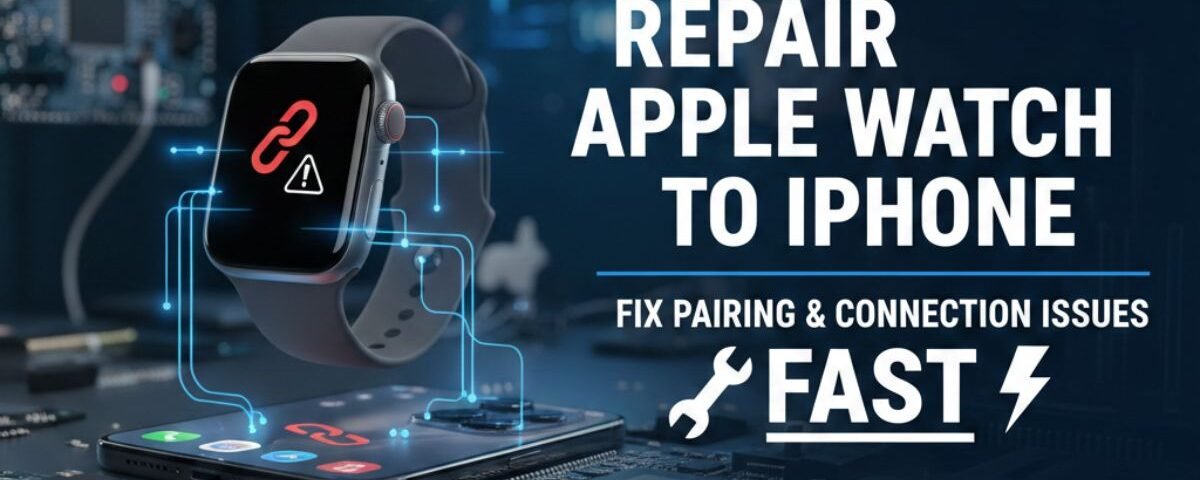
Your Apple Watch is designed to work seamlessly with your iPhone, but pairing and connection issues can break that smooth experience. From syncing failures to sudden disconnections, these problems can interrupt notifications, fitness tracking, and app functionality. Many users face Apple Watch connection issues due to software glitches, outdated iOS versions, or incorrect settings. Sometimes, even a minor update or network error can cause the Apple Watch to stop pairing with the iPhone. Understanding the root cause is the first step toward a reliable fix. Professional repair and troubleshooting can quickly restore the connection between your devices. Whether your Apple Watch won’t pair, won’t sync, or keeps disconnecting, the right solution can save time and frustration. This guide explains how Apple Watch to iPhone repair works and why expert help matters.
Understanding Your Repair Options
When your Apple Watch needs a little TLC, you have a couple of main paths to choose from. You can go straight to the source—Apple—or you can check out a local, independent repair shop. Both have their own perks, so let’s break them down.
What Are the Official Apple Repair Services in Canada?
Going to Apple or an Apple Authorized Service Provider is like taking your car back to the original manufacturer. You know the job will be done with genuine parts by technicians who are experts on the device. In Canada, you can either schedule a visit to an Apple Store or an authorized service center or arrange to mail your watch directly to them. This is often the best choice if your watch is still under warranty or if you have AppleCare+.
AppleCare+ Benefits: Is It Worth It for Repairs?
Think of AppleCare+ as an insurance plan for your watch. It extends your warranty and provides coverage for accidental damage, like dropping your watch and cracking the screen. With AppleCare+, you pay a small service fee for each incident instead of the full, and often very high, cost of the repair.
For example, a screen replacement can be quite expensive, but with AppleCare+, the fee is much more manageable. It also includes an Express Replacement Service, where Apple sends you a replacement watch so you don’t have to wait for yours to be fixed. If you’re a bit clumsy or just want peace of mind, it’s a fantastic investment.
How to Check Your Warranty and Coverage Status
Not sure if you’re covered? It’s super easy to find out. Just visit Apple’s official “Check Coverage” website. You’ll need your Apple Watch’s serial number, which you can find in the Settings app on your watch or in the Watch app on your iPhone. Entering that number will tell you instantly if you have an active warranty or AppleCare+ plan. This simple step can save you a lot of money and help you decide where to go for your repair.
Book now: Cell Phone Repair Victoria Same-Day iPhone & Android Fixes
Third-Party Repair Services: Pros and Cons
Independent repair shops are the local heroes of the tech world. They often offer faster service and more competitive pricing than official channels. A huge plus is the possibility of a same-day Apple Watch repair, which is perfect if you can’t bear to be without your device for long. These shops are great if your warranty has expired and you’re looking for affordable smartwatch repair.
However, there are a few things to keep in mind. The quality of parts can vary, and the technician might not have the same specialized training as those at Apple. It’s important to find a reputable shop with good reviews. Ask if they offer a warranty on their repairs, which shows they stand behind their work.
Troubleshooting Common Apple Watch Issues
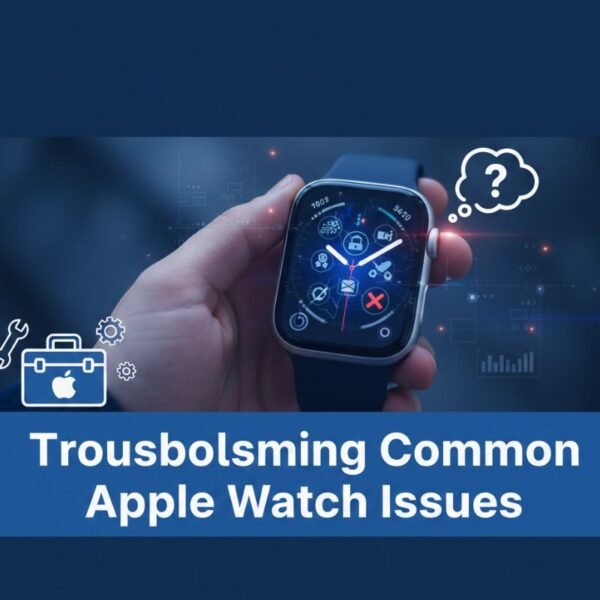
Before you rush off to a repair shop, some common problems can actually be solved right at home with a bit of troubleshooting. You might be able to save yourself a trip and some cash!
Why Won’t My Apple Watch Pair with My iPhone?
It’s one of the most frustrating feelings: your watch and phone just refuse to talk to each other. This is a classic case of troubleshooting Apple Watch pairing issues. First, make sure both your watch and iPhone have Wi-Fi and Bluetooth turned on. Try bringing them closer together. Sometimes, a simple restart of both devices is all it takes to get them communicating again.
If that doesn’t work, you might need to unpair your watch from your iPhone and then set it up again. It sounds drastic, but it often solves stubborn connection problems by giving the software a fresh start.
Fixing Charging Problems: When to Replace the Battery
Is your watch spending more time on its charger than on your wrist? Battery problems are common, especially as the watch gets older. Before assuming the worst, check your charging accessories. Make sure the charging cable and power adapter are working correctly. Try cleaning the back of your watch and the surface of the charger to ensure a good connection.
If it still won’t hold a charge, you might be looking at an Apple Watch battery replacement eligibility situation. If you have AppleCare+ and your battery holds less than 80% of its original capacity, the replacement is free. Otherwise, both Apple and third-party shops can perform a battery service for a fee.
Resolving Connectivity and Software Glitches
Sometimes, your watch might just act weird. Apps might freeze, or it might disconnect from Wi-Fi randomly. These are often software glitches that can be fixed by updating your watchOS to the latest version. Software updates frequently include bug fixes that resolve these kinds of annoying problems.
If an update doesn’t help, a full reset of your Apple Watch might be necessary. This erases all your content and settings, so be sure you have a recent backup on your iPhone before you do it. This is a last-resort step for software issues but is highly effective.
Exploring Local Repair Services
If troubleshooting doesn’t cut it, it’s time to find a professional. Finding a great local repair service in Canada is easier than ever.
Finding Affordable Apple Watch Repair Near You
A quick online search for “affordable Apple Watch screen repair near me” or “local repair services for Apple Watch” will give you a list of options in your area. Look for shops with lots of positive reviews from other customers. These reviews often give you honest feedback about the shop’s prices, speed, and quality of work.
Many third-party shops specialize in specific repairs, like screen or battery replacements, and can offer prices that are much lower than official Apple service fees, especially if you don’t have AppleCare+.
Same-Day Repair Services: What to Expect
The biggest advantage of many local shops is speed. Some places, like Dr. Phone Fix, advertise same-day service for common repairs. This means you can drop your watch off in the morning and have it back on your wrist by the afternoon.
When you go in, the technician will typically diagnose the problem first and give you a quote. If you agree, they’ll get to work. For a screen or battery swap, this can often be done in just a few hours. It’s the perfect solution for people who rely on their watch every day.
How to Use Postal Code Search for Local Repair Shops
Some repair shop websites have a handy feature that lets you find the nearest location just by entering your postal code. This is incredibly useful for finding the most convenient spot. Using a “find Apple Watch repair services by postal code” tool can quickly show you all the registered repair centers nearby, saving you the time of calling around.
Specialized Repairs and Unique Scenarios
Not all watch problems are as simple as a dead battery or a cracked screen. Let’s look at some of the less common, but still important, repair situations.
Repairing Older Apple Watch Models (Series 1-3)
Do you have an older Apple Watch, like a Series 1, 2, or 3? Good news! Many third-party shops still offer Apple Watch repair for older models. While Apple may stop servicing “vintage” products, independent shops often keep parts in stock for these beloved classics. Getting an older model repaired can be a very cost-effective way to keep it going for a few more years.
Water Damage: Can It Be Fixed?
Even though Apple Watches are water-resistant, accidents happen. If your watch takes an unexpected swim in the deep end or gets exposed to soaps and lotions, water damage can occur. An Apple Watch repair for water damage is tricky. Apple’s warranty and AppleCare+ do not cover it, and the official repair might involve replacing the entire unit, which is costly.
Some specialized third-party shops claim they can fix water-damaged devices, but success is not guaranteed. The best thing to do is turn the watch off immediately and take it to a professional to assess the damage.
Cracked Back Glass: Repair or Replace?
The back glass of your Apple Watch houses the all-important sensors that track your heart rate and other health metrics. A crack here can affect its functionality and compromise its water resistance. An Apple Watch repair for cracked back glass can be complex. Depending on the model, it might require a full unit replacement if you go through Apple. However, some skilled third-party technicians may be able to replace just the back glass for a lower price.
DIY Repairs and Preventative Care
Feeling brave? There are some minor fixes you can attempt yourself. But more importantly, let’s talk about how to avoid needing a repair in the first place.
DIY Apple Watch Repair: What You Can and Can’t Fix
There are tons of DIY Apple Watch repair tips and kits available online, but proceed with extreme caution. Tasks like replacing a battery or screen are very delicate and require special tools. One wrong move could permanently damage your device. You could also void any remaining warranty you have.
Simpler tasks, like replacing a watch band or cleaning the digital crown if it gets sticky, are perfectly safe to do yourself. For anything involving the internal components, it’s almost always better to trust a professional.
Tips to Prevent Damage and Extend Your Apple Watch’s Life
The best repair is the one you never have to make! A good case and screen protector can save you from the heartache of a cracked screen. Avoid exposing your watch to extreme temperatures or harsh chemicals. Clean it regularly with a soft, lint-free cloth. Taking these simple preventative steps will help keep your watch in pristine condition for years to come.
Cost Breakdown and Decision-Making
Now for the big question: how much is this going to cost, and is it even worth it?
Apple Watch Repair Costs: Official vs. Third-Party
If you have AppleCare+, your cost is a predictable service fee. Without it, official repairs from Apple can be expensive, sometimes approaching the cost of a new watch. For example, an out-of-warranty screen repair on a newer model can run into the hundreds of dollars.
Third-party shops almost always offer a more affordable alternative. Their prices for screen and battery replacements are typically much lower. Always get a quote upfront so there are no surprises.
How to Decide Between Repairing and Replacing Your Apple Watch
This decision comes down to three things: the age of your watch, the cost of the repair, and your budget for a new one. If you have a newer model and the repair cost is reasonable, fixing it is a great choice. If your watch is several years old and the repair is expensive, that money might be better put toward an upgrade. A new watch will come with a fresh battery, a new warranty, and the latest features. Weigh the pros and cons carefully to make the best decision for you.
Conclusion
Apple Watch to iPhone connection issues are common but completely fixable with the right approach. Ignoring pairing problems can limit key features like calls, messages, and health tracking. A proper repair process focuses on software updates, settings correction, and system optimization. Professional repair services ensure your Apple Watch reconnects securely and stays stable. Instead of repeated failed attempts, expert solutions save both time and effort. Restoring the Apple Watch–iPhone connection means getting back to a smooth, fully synced Apple experience.
FAQs
Why is my Apple Watch not pairing with my iPhone?
Apple Watch pairing issues usually occur due to outdated software, Bluetooth problems, or incorrect iPhone settings. If your iPhone or Apple Watch is running an old iOS or watchOS version, pairing may fail. Network interruptions and Apple ID sync errors can also cause problems. Sometimes, leftover data from a previous pairing creates conflicts. A professional repair service can diagnose the exact cause and safely reset the connection.
Can software updates fix Apple Watch connection issues?
Yes, in many cases software updates resolve Apple Watch to iPhone connection problems. Updates fix bugs, improve compatibility, and enhance Bluetooth stability. However, failed or incomplete updates can also create new issues. That’s why updates should be installed correctly and verified afterward. Repair experts ensure both devices are fully updated and configured properly.
What should I do if my Apple Watch keeps disconnecting from my iPhone?
Frequent disconnections may be caused by Bluetooth interference, incorrect settings, or background app conflicts. Restarting devices may help temporarily, but it’s not a permanent solution. Resetting network settings or re-pairing correctly often solves the issue. A repair service checks system settings and optimizes the connection. This ensures long-term stability between your Apple Watch and iPhone.
Is it safe to reset my Apple Watch to fix pairing problems?
Resetting your Apple Watch is generally safe if done correctly, but improper resets can lead to data loss. Important health and fitness data should be backed up first. Many users reset without fixing the underlying issue, causing the problem to return. Professional repair ensures data safety and correct restoration. This way, pairing issues are fixed without unnecessary risk.
When should I choose a professional Apple Watch to iPhone repair service?
If basic troubleshooting fails, professional repair is the best option. Persistent pairing errors, sync failures, or repeated disconnections often need expert attention. Repair specialists identify hidden software or configuration issues. They use proven methods to restore a stable connection. This saves time and prevents further complications.
