

iPhone Overheating Issues Causes, Warning Signs, and Proven Fixes
January 9, 2026
Refurbished Laptop Canada Complete Buyer’s Guide
January 12, 2026Water Damaged iPhone Solutions Step-by-Step Guide to Fix It
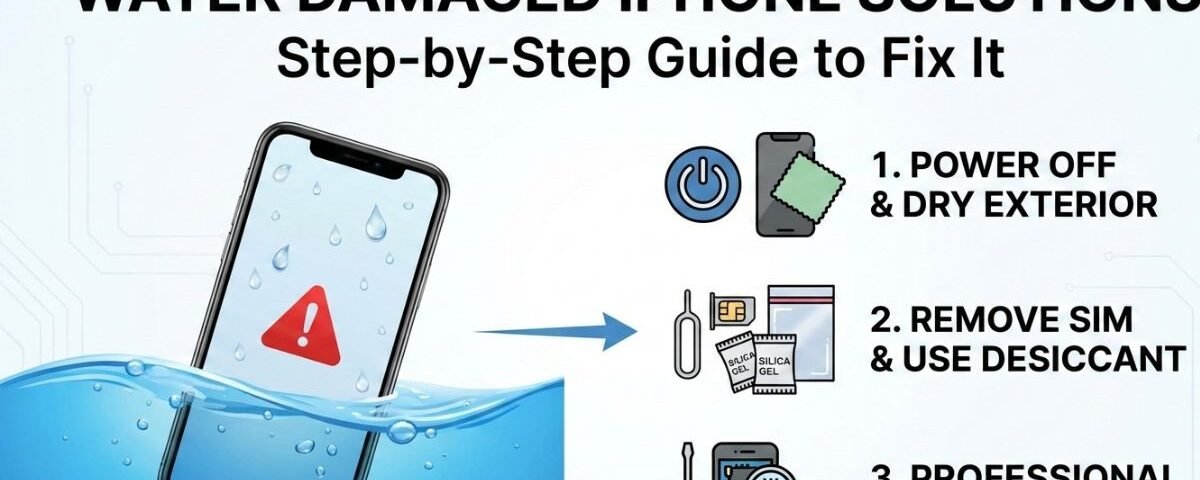
Water damage is one of the most common accidents that can happen to an iPhone, often leading to malfunctioning screens, unresponsive buttons, or even a completely dead device. Whether your iPhone took a dip in the sink, fell in the rain, or suffered a more severe water exposure, acting quickly can make all the difference. In many cases, immediate steps can prevent permanent damage and save your device from costly repairs. From safely drying your iPhone to understanding the risks of DIY fixes, knowing the right actions is essential. This guide will walk you through practical, step-by-step solutions to handle a water damaged iPhone, reduce the chance of long-term harm, and potentially recover your data. By following these methods, you can minimize frustration and restore functionality as effectively as possible. Protecting your iPhone from water damage starts with quick action and informed decisions.
Understanding Water Damage in iPhones
What Happens When Water Enters Your iPhone?
Think of your iPhone as a tiny city powered by electricity. That power follows very specific paths. When water enters, it causes chaos.
Water creates new electrical paths. This leads to short circuits, which can instantly damage sensitive components. One small splash can shut everything down.
The damage doesn’t stop there. After the water dries, minerals and salts remain. These cause corrosion, which is basically rust. Over time, corrosion eats away at connectors and chips. Days or weeks later, your phone may suddenly fail.
The Difference Between Water-Resistant and Waterproof iPhones
Apple often says newer iPhones are water-resistant. That sounds reassuring, but it’s not the same as waterproof.
No iPhone is fully waterproof.
Water resistance is measured using an IP rating. For example, an iPhone 14 (IP68) survived lab tests in clean, still water for up to 30 minutes. The key words are lab and clean water.
This does not cover:
• Saltwater
• Soapy bathwater
• Swimming pools
• High-pressure water
Over time, seals weaken. A two-year-old iPhone is less water-resistant than a new one.
How Water Damage Affects Different iPhone Models
Newer models like iPhone 12 and above have stronger seals. They handle spills better.
Older models like iPhone 8 or iPhone SE (1st generation) have little or no protection. Even a small spill can cause serious damage.
No matter the model, liquid damage is not covered by Apple’s warranty. Every water incident should be treated as urgent.
Immediate Steps to Take After Water Damage
What Should You Do Right After Dropping Your iPhone in Water?
Panic is normal. But the first few minutes matter most.
Your goal is simple:
• Turn the power off
• Remove the moisture
Staying calm can save your phone.
The Do’s and Don’ts of Handling a Wet iPhone
Do:
• Remove the phone from water immediately
• Power it off completely
• Gently dry the outside with a soft cloth
• Remove the case and SIM card tray
Don’t:
• Don’t turn it on to “check”
• Don’t charge it
• Don’t shake or press buttons
• Don’t use a hairdryer or oven
Why Turning Off Your iPhone Is Crucial
Electricity and water don’t mix. Leaving your phone on allows power to flow through wet components. This causes permanent short circuits.
Turning the phone off stops the damage from spreading.
This is the single most important step for saving a water-damaged iPhone.
Removing Accessories: Cases, SIM Cards, and Screen Protectors
Phone cases trap water. Remove them immediately.
Eject the SIM card tray. This protects your SIM and allows airflow inside the phone.
If you use a screen protector, remove it too. Water often hides underneath.
Common Myths and Misconceptions
Why the Rice Method Doesn’t Work
Putting your phone in rice sounds smart. It isn’t.
Rice absorbs moisture slowly and cannot pull water from inside the phone. While the phone sits in rice, corrosion continues. Damage gets worse.
Rice dust can also clog speakers and charging ports, making iPhone water damage repair harder.
The Truth About Hair Dryers and Heat
Hair dryers push water deeper into the phone. Heat damages internal parts.
Ovens, radiators, or sunlight can:
• Overheat components
• Damage the battery
• Create fire risks
Never use heat.
Can Saltwater or Sugary Liquids Be Fixed?
Saltwater, pool water, and sugary drinks are much more dangerous than tap water. They cause faster corrosion and leave sticky residue.
If your phone was exposed to anything other than clean water, professional cleaning is essential.
This is where iPhone water damage repair in Canada becomes urgent. Only proper internal cleaning can stop corrosion.
DIY Solutions for Water-Damaged iPhones
If a professional repair isn’t possible immediately, there are a few safe things you can try at home.
These methods aren’t guaranteed fixes, but they are far better than the rice myth.
How to Dry Your iPhone Safely at Home
After powering it off and wiping it down, place your iPhone in a dry, well-ventilated area.
Stand it upright with the charging port facing down. Gravity will help pull water out.
You can also place it in front of a fan blowing cool air. This airflow speeds up evaporation safely.
Leave it alone for at least 48 hours. Be patient; rushing it can cause more harm.
Using Silica Gel Packets vs. Uncooked Rice
Those little packets in shoes or snack boxes? They are silica gel packets, designed to absorb moisture.
Unlike rice, they are highly effective and won’t leave dust or grains in your phone’s ports.
Place your iPhone in an airtight container with as many packets as possible.
This is a safer and more effective method than rice.
When to Attempt DIY Repairs and When to Stop
DIY ends here. Do not open your iPhone unless you are trained.
Modern iPhones are sealed with strong adhesives and contain tiny, delicate cables.
If your phone doesn’t turn on after 48 hours, or you see screen lines or hear crackling, stop immediately.
Further attempts may cause permanent damage. Call the experts.
Professional Repair Options
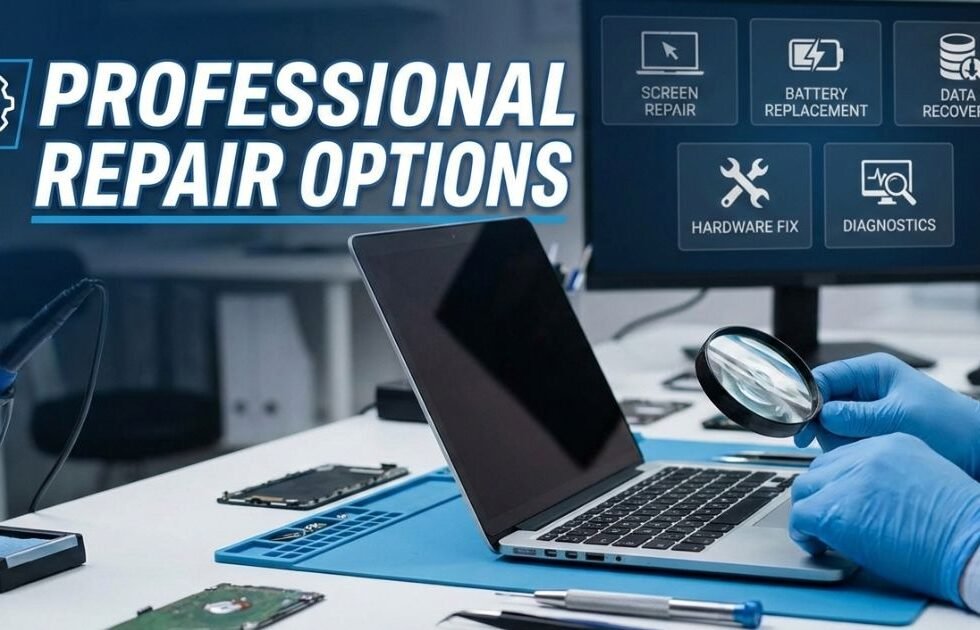
When DIY fails, a professional technician is your best option.
They have the tools and expertise to fix a water-damaged iPhone safely.
How Do Professional Technicians Fix Water-Damaged iPhones?
Repair isn’t just “drying” the phone.
Technicians disassemble the iPhone, inspect each part under a microscope, and clean it professionally to stop corrosion.
The Role of Ultrasonic Cleaning in Repairing Water Damage
A key tool is the ultrasonic cleaner.
Technicians place the iPhone’s motherboard in a special solution. High-frequency sound waves create microscopic bubbles.
These bubbles scrub away corrosion and residue from every corner of the board.
This process often saves a phone from slow corrosion damage.
Cost Breakdown: DIY vs. Professional Repairs in Canada
DIY is free but risky. Professional iPhone water damage repair in Canada costs more but is safer.
A simple deep clean may be affordable.
If the screen or battery needs replacement, the cost rises.
Complex motherboard repairs are pricier but usually cheaper than buying a new phone.
Most shops provide a free diagnosis and quote before you commit.
Preventing Future Water Damage
The best fix is prevention. Keep your iPhone safe and dry.
The Best Waterproof Cases for iPhones
If you work or play near water, invest in a high-quality waterproof case.
Look for IP68 rating or higher. These cases fully seal your iPhone and protect against spills, rain, and submersion.
Simple Habits to Protect Your iPhone from Water Damage
A little caution goes a long way:
- Avoid steamy bathrooms; steam can enter more easily than water
- Keep the phone away from drink edges
- At the beach or pool, use a zip-top bag for extra protection
How to Check and Maintain Your iPhone’s Water Resistance Over Time
Water resistance fades over time. Small drops or bumps weaken seals.
Treat older iPhones as if they have no water resistance.
Screen or battery replacements can restore some protection if a repair shop replaces the adhesive seals.
Conclusion
Dealing with a water damaged iPhone can be stressful, but timely and careful action greatly improves the chances of recovery. Simple steps like powering off the device, drying it properly, and avoiding risky DIY methods can prevent further harm. For severe cases, professional repair services offer the best solution to restore functionality safely. Remember, patience is key—rushing the drying or repair process can make damage irreversible. By following the strategies outlined in this guide, you can save your iPhone and continue using it without major setbacks. Prevention, awareness, and quick response are the ultimate safeguards for your device.
FAQs
Yes, minor water exposure can sometimes be fixed at home if you act quickly. Power off the device immediately, remove any case or accessories, and gently dry it with a soft cloth. Placing the iPhone in a moisture-absorbing environment like silica gel packets can help remove remaining water. Avoid using a hairdryer or heat source, as excessive heat can damage internal components. While DIY methods may work for small spills, professional assessment is often safer for serious water damage.
You should wait at least 24 to 48 hours before attempting to power on a water damaged iPhone. This allows sufficient time for internal moisture to evaporate and prevents short-circuiting. Rushing to turn on the device too soon can worsen the damage and make repairs more complicated. Using moisture-absorbing materials like silica gel or keeping the phone in a dry, ventilated area can speed up the drying process safely. Patience is crucial to avoid permanent harm.
Placing an iPhone in rice is a common myth, but it is only partially effective. While rice can absorb some moisture, it is far less efficient than silica gel or other desiccants. Rice can also leave dust or starch inside the phone, potentially causing additional problems. For better results, use commercial moisture-absorbing packets or a controlled drying environment designed for electronics. The key is to remove moisture without introducing new risks.
Opening your iPhone is generally not recommended unless you have technical expertise. Modern iPhones are sealed devices, and opening them incorrectly can void warranties, cause permanent damage, or worsen water exposure. It’s safer to rely on drying techniques and, if necessary, professional repair services. Experts have the right tools and knowledge to safely clean and restore water damaged internal components.
If your iPhone shows signs of severe water damage—like a non-functioning screen, random shutdowns, or failure to charge—it’s time to consult a professional repair service. Professionals can assess corrosion, replace damaged components, and recover data if possible. Waiting too long may allow water to corrode sensitive parts, making repairs more difficult or even impossible. Early intervention significantly increases the chances of a successful fix.
