

10 Tips to Extend Your iPhone Battery Life Easily
November 9, 2026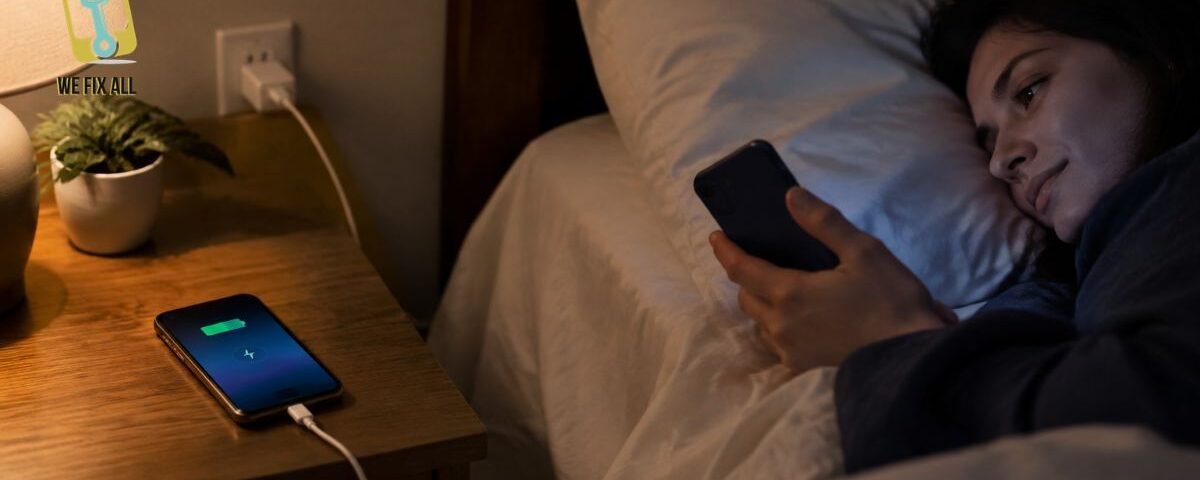
Charging your iPhone overnight does not normally cause overcharging because modern devices manage their charging automatically. However, excessive heat and extended periods at full charge can affect battery health. Use Optimized Battery Charging, keep your phone cool, and choose a certified charger.
Can You Overcharge an iPhone? Here’s What Actually Happens
Overcharging happens when a battery continues receiving power beyond its intended capacity. Modern iPhones have built-in charging management systems that help prevent this from happening.
When your iPhone reaches full charge, its charging system manages the power supply to protect the battery. Charging may resume when the battery level drops.
So, leaving your phone connected overnight does not mean it continuously receives maximum power.
However, there is another important factor to consider: spending too much time at full charge can contribute to gradual battery wear.
What Really Wears Down Your Battery: Heat and Hours at Full Charge
Your iPhone battery naturally loses capacity as it gets older. However, certain charging habits can speed up this process.
Two important factors are excessive heat and spending extended periods at full charge.
Why Heat Is the Biggest Enemy of Your Battery
Heat is one of the main factors that can negatively affect lithium-ion battery health.
Here are some important things to remember:
- iPhones are designed to operate in temperatures between 0°C and 35°C.
- Temperatures above 35°C can permanently affect battery capacity.
- When an iPhone becomes too hot, its charging system may slow down or temporarily stop charging to protect the device.
Avoid charging your phone under pillows, blankets, or other materials that trap heat. Keep it on a flat surface with proper airflow.
Do Phone Cases and Wireless Chargers Make It Worse?
Some phone cases can trap heat during charging, especially when the device is already warm.
Wireless charging can also generate heat during normal operation. If your iPhone becomes unusually warm while charging, consider these precautions:
- Remove the phone case temporarily.
- Keep the charging area ventilated.
- Avoid placing your phone on soft surfaces.
- Switch to cable charging if wireless charging causes excessive heat.
If your iPhone regularly overheats while charging, it may be worth having the device inspected by a professional.
How Optimized Battery Charging and the 80% Limit Work
Modern iPhones include battery management features designed to reduce unnecessary battery wear.
Two useful features are Optimized Battery Charging and Charge Limit.
Optimized Battery Charging
This feature learns your daily charging routine and delays charging beyond a certain level until closer to the time you normally unplug your phone.
It helps reduce the amount of time your battery spends fully charged.
Charge Limit
Supported iPhone models also allow you to set a maximum charging limit.
You can choose a charging limit between 80% and 100%, depending on your device and settings.
Keeping your battery below full charge can help reduce battery wear over time. However, charging to 100% when needed is also normal.
Where to Find These Settings
| iPhone Model | Battery Charging Settings |
| iPhone 14 and earlier | Settings → Battery → Battery Health & Charging |
| iPhone 15 and later | Settings → Battery → Charging |
The exact menu names may vary depending on your iOS version.
Does Limiting Your Battery to 80% Really Help?
Keeping your iPhone battery below full charge can be helpful if you want to reduce long-term battery wear.
However, an 80% charging limit is not necessary for everyone.
If you regularly use your phone throughout the day, charging to 100% may be more practical. If you usually have access to a charger, a lower charging limit may be worth considering.
The most important thing is to avoid excessive heat and maintain healthy charging habits.
Is It Safe to Charge Your Phone While You Sleep?
Battery health and charging safety are two different concerns.
Although modern iPhones have built-in charging protections, leaving any electronic device charging unattended can still involve some risk.
Follow these safety precautions:
- Use a charger with a recognized Canadian certification mark, such as CSA, cUL, or cETL.
- Avoid damaged charging cables and adapters.
- Never charge your phone under a pillow or blanket.
- Keep your device away from flammable materials.
- Avoid using damaged or swollen batteries.
- Unplug your charger if you notice unusual heat, burning smells, or other warning signs.
Canadian fire safety guidance also recommends avoiding unattended overnight charging.
Why Battery Protection Does Not Eliminate Fire Risks
Charging protection features help manage battery charging, but they cannot prevent every possible electrical or hardware failure.
A damaged cable, faulty charging adapter, defective battery, or poor-quality charging accessory can create safety risks.
If your iPhone becomes unusually hot, stops charging properly, or shows signs of battery swelling, stop using it and arrange a professional inspection.
Choose Certified Charging Accessories
When charging your iPhone in Canada, look for recognized electrical certification marks such as:
- CSA
- cUL
- cETL
These marks indicate that the charging accessory has been evaluated against applicable Canadian electrical safety standards.
Avoid unverified charging accessories that may put your device and safety at risk.
Charging Your iPhone During a Canadian Winter
Canadian winters can also affect your iPhone’s battery performance.
Cold temperatures may temporarily reduce battery life, affect charging performance, or cause your phone to shut down unexpectedly.
Here are some helpful precautions:
- Avoid charging your iPhone in extremely cold environments.
- Do not leave your phone inside a parked car during freezing weather.
- Allow your device to return to room temperature before charging.
- Keep your phone away from direct heat sources.
- Store your device in a warm, dry place.
iPhones are designed to operate between 0°C and 35°C and can be stored between -20°C and 45°C.
If your iPhone displays a charging-related warning in cold weather, allow it to warm up naturally before connecting it to a charger.
How Do iPhone Battery Charge Cycles Work?
A battery charge cycle represents the total amount of battery capacity you use, equivalent to 100% of its capacity.
For example, using part of your battery throughout the day and charging it again later contributes toward a complete cycle over time.
A charge cycle does not necessarily mean charging your phone from 0% to 100% in one session.
Battery capacity naturally decreases as charge cycles accumulate. Heat, charging habits, and everyday usage can also influence battery performance.
If your iPhone battery drains quickly, shuts down unexpectedly, or struggles to hold a charge, it may be time to have its battery condition checked.
The 3-H Check: A Simple Way to Improve Your Charging Habits
To keep your iPhone battery in good condition, follow this simple 3-H charging checklist.
1. Heat
Keep your iPhone cool while charging. Avoid pillows, blankets, direct sunlight, and poorly ventilated spaces.
2. Hours at Full Charge
Enable Optimized Battery Charging or use a supported charging limit to reduce unnecessary time at full charge.
3. Hardware
Use certified charging accessories and regularly inspect your charging cable, adapter, and phone for damage.
Following these simple steps can help protect your battery and reduce common charging-related risks.
Who Should Follow Which Charging Habits?
| Your Situation | Recommended Action |
| Newer iPhone | Enable Optimized Battery Charging |
| Older iPhone | Monitor battery health and avoid excessive heat |
| Charging phone near your bed | Use a certified charger on a hard surface |
| Phone gets hot while charging | Remove the case and improve airflow |
| Charging during winter | Allow the phone to warm up indoors |
| Concerned about fire safety | Avoid unattended overnight charging |
Conclusion
Charging your iPhone overnight does not normally cause overcharging, but heat, extended periods at full charge, and poor-quality charging accessories can affect battery health and safety.
Follow the 3-H Check: keep your device cool, enable Optimized Battery Charging, and use certified charging accessories.
If your iPhone overheats, drains quickly, or develops charging problems, WeFixAll can help diagnose the issue and recommend the appropriate repair solution.
FAQs
Is it bad to charge my iPhone overnight?
Not necessarily. Modern iPhones have charging management features that help prevent overcharging. However, excessive heat and extended periods at full charge can contribute to battery wear.
Can you overcharge an iPhone?
Modern iPhones are designed to prevent conventional overcharging. Their charging systems automatically manage power when the battery reaches full capacity.
Should I charge my iPhone to 100%?
Yes. Charging your iPhone to 100% is normal. However, using Optimized Battery Charging can help reduce the time your battery spends fully charged.
Does the 80% charging limit help battery health?
A lower charging limit may help reduce battery wear over time. However, it is optional, and you can still charge your iPhone fully when needed.
Is it safe to leave my iPhone charging while I sleep?
Modern charging systems provide protection, but unattended charging still carries some safety risks. Use certified accessories, avoid damaged cables, and follow local fire safety recommendations.
Should I remove my phone case while charging?
Not always. However, if your iPhone becomes unusually warm while charging, removing the case can improve heat dissipation.
What should I do if my iPhone battery drains quickly?
Check your battery health, review background activity, and make sure your device is running properly. If the problem continues, WeFixAll can help identify potential battery or charging-related issues.
