

Samsung Ghost Touch Repair Cost in Canada WeFixAll
October 22, 2026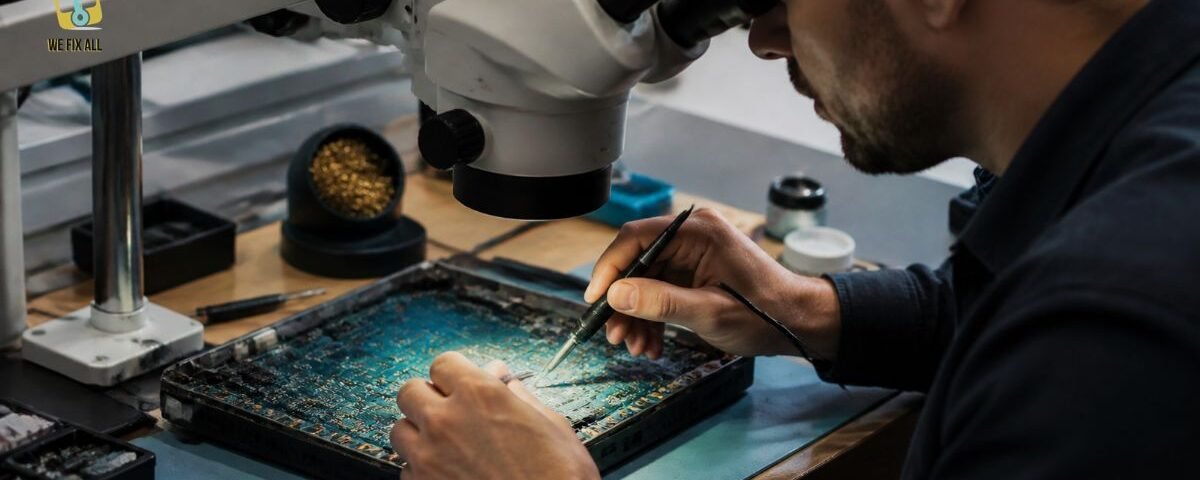
Micro-soldering is precision repair of a circuit board’s tiny components using a microscope, fine-tip tools and controlled heat. A technician finds the failed part, removes it, cleans the board, and fits a new part or rebuilds a broken connection. The goal is to fix a single fault so the device works again, rather than replacing the whole board or the whole device.
Micro-soldering is precision circuit-board repair done under a microscope. A technician finds the failed part, lifts it with controlled heat, cleans the pads, fits a new part or repairs a broken trace, then tests the board. It lets a device with one tiny fault work again instead of being thrown away.
What Is Micro-Soldering?
Micro-soldering is the repair of very small electronic parts on a circuit board, using magnification and specialized tools. It’s also called board-level repair or component-level repair.
The parts involved are tiny. Many are surface-mount devices (SMDs), which sit flat on the board’s surface instead of poking through holes. In a modern phone or laptop, nearly everything from resistors to memory chips is mounted this way, according to iFixit.
How small is “tiny”? Tool maker Hakko notes that 0201-size components, common in smartphones and tablets, are 50% smaller than the older 0402 size. At that scale, most technicians need a microscope just to see what they’re doing.
Micro-Soldering vs Regular Soldering
Regular soldering joins larger parts, often by pushing a wire through a hole in a board. Micro-soldering works at a far smaller scale, where one slip can destroy a part or lift a pad off the board.
| Regular (through-hole) soldering | Micro-soldering | |
| Typical parts | Wires, jacks, large connectors | Tiny SMD parts, chips, small connectors |
| Magnification | Usually none | Microscope or strong magnifier |
| Main heat tool | Standard soldering iron | Fine-tip iron and hot air rework station |
| Typical jobs | Fixing a guitar jack or speaker | Charging chips, power chips, ports, lifted traces |
| Skill needed | Learnable in an afternoon | Months to years of practice |
How Does Micro-Soldering Repair a Device? The Find Fix Prove Method
Every micro-soldering repair follows the same logic. I call it the Find → Fix → Prove Method. If a shop skips one of these three, be careful.
Step 1: Find the fault
The technician doesn’t guess. They trace the symptom back to its source.
- Check the symptom. “Won’t charge” and “won’t turn on” point to different circuits.
- Use a schematic or boardview, if one exists. iFixit describes a schematic as a wiring diagram of a house, not a blueprint of the device. It shows how parts connect, so a technician can trace a failure backward from the symptom. Most manufacturers no longer release them, so many repairs rely on experience instead.
- Measure with a multimeter. In diode mode, a multimeter reveals shorts and dead lines without opening a part up.
- Add heat imaging when needed. Shops such as Solder Surgeon in Ontario list thermal imaging in their diagnostic toolkit. A shorted part often heats up first.
Step 2: Fix the fault
This is the part most people picture, but it’s only a third of the job.
- Apply heat the right way. Here’s the surprise: most micro-soldering doesn’t start with a soldering iron. iFixit explains that chips with many solder points are usually removed with a hot air rework station, which spreads heat across all the joints at once.
- Respect the melting points. Leaded solder melts at roughly 183 °C (361 °F). Lead-free solder, used in most modern electronics, melts at roughly 217 °C (423 °F), per iFixit.
- Beat the board’s heat sink. Boards contain layers of copper, which carries heat away fast. In iFixit’s class example, students had to run the tool far hotter than the melting point, around 360–380 °C, and apply heat quickly, so the target part melts before the whole board does. Settings varied by person and equipment.
- Lift the part and clean the pads. The old chip comes off, and the leftover solder is removed from the board pads.
- Fit a new part or rebuild the connection. The technician soldiers on a new part, or repairs a broken copper trace with a fine jumper wire.
Step 3: Prove the repair
A repair isn’t done when the solder cools.
- Clean off flux residue. Leftover flux can cause problems later.
- Inspect under magnification. Look for bridges, cold joints and lifted pads.
- Power-test the board with a controlled power supply before reassembly.
- Run a real-world test. Charge, boot, load, connect, and repeat.
Why this matters: A shop that can name what it found, what it replaced and how it tested is far easier to trust than one that says “we fixed the motherboard.”
What Can Micro-Soldering Fix?
Micro-soldering suits faults that are localized, meaning one part or one connection has failed. It works less well when damage is widespread. Here’s a symptom-by-symptom guide.
| Symptom | Common board-level cause | Does micro-soldering help? |
| Phone won’t charge, or charges only at certain angles | Worn charging port, failed charging chip, damaged pads | Often yes |
| Device won’t power on | Failed power chip, shorted capacitor, blown MOSFET | Often yes, if the short can be traced |
| Touch screen unresponsive (a known iPhone 6 Plus issue) | Failed touch chip on the board | Often yes |
| Console HDMI port loose or no picture | Broken port or torn pads | Usually yes |
| Water or liquid damage | Corrosion on pads, shorted parts | Sometimes, after cleaning and part replacement |
| Backlight problems on a laptop | Failed backlight circuit part | Often yes |
| Graphics chip errors or artifacts | Cracked solder joints under a BGA chip | Sometimes, via reballing |
| Cracked board, burnt-through layers | Widespread physical damage | Rarely |
Devices commonly repaired this way include phones, tablets, laptops, MacBooks, game consoles and graphics cards. Drones and appliance boards sometimes qualify too.
Micro-Soldering vs Reflow vs Reballing vs Board Swap
These terms get mixed up constantly. Here’s a plain-English comparison.
| Method | What it means | Best for | Catch |
| Micro-soldering (component replacement) | Replace one failed part or repair one trace | A single known fault | Needs diagnosis skill |
| Reflow | Re-melt the existing solder by heating the area | Test or temporary fix for cracked joints | Often a partial fix, because old solder stays |
| Reballing | Remove a chip, replace its solder balls, refit it | A healthy chip with fatigued joints | Won’t fix damaged pads or a faulty chip |
| Board swap | Replace the whole board | Widespread damage, or when a donor board is cheap | Costly on newer devices, and your data may not survive |
Reflow and reballing are different. As explained in guides by PCB maker JLCPCB, reballing replaces the solder spheres, so it resets the joint. A simple reflow just re-melts the old solder.
What Tools Does Micro-Soldering Need?
You don’t need every tool on day one, but you need the right category of tool.
- Magnification: from a head-mounted magnifier (iFixit cites about $30, with limited comfort and depth of field) to a professional microscope (about $2,000).
- Fine-tip soldering iron: from budget options to professional models costing over $1,000, per iFixit.
- Hot air rework station: the workhorse for chips and connectors.
- Flux, solder wick and fine tweezers: small, cheap and essential.
- Multimeter and power supply: for finding shorts and checking power draw.
- ESD protection: grounded mats and wrist straps to prevent static damage.
Rule of thumb: iFixit notes that higher-value tools let you perform repairs that are hard or impossible with cheaper ones.
Is Micro-Soldering Worth It?
It often is, but not always. Use this quick test.
Micro-soldering is usually worth it when:
- the device is expensive to replace (a MacBook, a flagship phone, a console);
- you need the data on it;
- the fault is localized (one port, one chip, one short);
- The quote is well under replacement cost.
It may not be worth it when:
- the device is old and cheap to replace;
- there’s widespread corrosion or physical damage;
- the shop can’t explain what it will actually repair.
A price benchmark: One US repair shop’s comparison page lists Apple’s logic board repair at US599–1,200+, noting that Apple replaces the whole board while an independent shop replaces only the failed component. That’s a shop’s own marketing page, not an independent study, and the figures are in US dollars.
What Are the Risks and Limits?
Micro-soldering is skilled work, not magic. Be realistic.
- No guarantee of success. One shop’s published terms warn that the work is high-complexity and often done without schematics, so success can’t be promised. That candour is a good sign.
- New faults can appear. Fixing one failed part can reveal another hidden problem.
- Workmanship warranties are narrow. The same shop covers rework of the original solder point for 30 days, but not new or unrelated failures. Always ask what your warranty covers.
- Data isn’t guaranteed. If your data matters, say so before any work begins.
Can You Learn Micro-Soldering Yourself?
Yes, but expect a real learning curve. iFixit’s author argues anyone can learn with the right tools and information, yet notes it took a dedicated board-repair course, and readers in the comments urge caution on valuable laptops.
Practical advice:
- Start with through-hole soldering, then move to SMD practice boards.
- Practice on dead boards you don’t care about.
- Consider formal training. The IPC-7711/7721 rework and repair standard has an endorsement program, but IPC says it isn’t an introduction to soldering. Candidates are expected to have some prior rework experience.
Don’t practise on your only phone, or on a laptop with irreplaceable data.
Can Micro-Soldering Help With Data Recovery?
Sometimes. Data recovery labs use micro-soldering to replace faulty controller chips and repair damaged memory chips on SSDs.
The stakes are higher on newer Macs. One repair shop notes that on T2 and Apple Silicon MacBooks, the storage is soldered to the logic board. That means a dead board can trap your files, which makes board-level repair a data question as well as a hardware one.
How Do You Choose a Micro-Soldering Shop in Canada?
Use this checklist before you hand over a device.
- Clear diagnosis first. Can they tell you what failed and why?
- Written quote and a stated diagnostic fee.
- Warranty terms in writing. What’s covered, and for how long?
- Relevant experience. Ask how often they do your specific repair.
- Training or standards. IPC-based training is a positive signal.
- Data policy. Will they warn you about data risk in advance?
- Mail-in or drop-off options. Some Canadian shops, including MicroTech Solutions in Port Hope, Ontario, accept mail-in repairs from across Canada.
- Honest “can’t fix” answers. A shop that never says no is a red flag.
Why It Matters in Canada: Right to Repair and E-Waste
Right to repair. Canada has moved on this in recent years:
- Federal Bills C-244 and C-294 amended the Copyright Act, making it easier to bypass digital locks for repair. iFixit called this a major step, while noting that access to repair tools and parts is still limited.
- Quebec’s Bill 29 added repairability rules to its consumer protection law.
- Manitoba introduced a right-to-repair bill in March 2026.
- The federal government has also run a consultation on a right-to-repair policy covering consumer electronics and appliances. Policy details are still evolving, so check current status before publishing.
E-waste. The Global E-waste Monitor 2024 found that the world generated 62 billion kg of e-waste in 2022, and only 22.3% was documented as properly collected and recycled. Secondary coverage of the same report puts Canada’s total at about 770 million kg. Repairing a board instead of discarding a device keeps all that material in use.
Conclusion
Micro-soldering is the precision repair technique that fixes electronic devices at the component level, replacing or reconnecting tiny parts like charging ports, capacitors, and chips on the motherboard instead of discarding the whole board. It saves money, reduces e-waste, and often recovers devices that standard repair shops call “unfixable.” If your phone, laptop, or console has a dead board, a skilled micro-soldering technician is usually your best chance of getting it working again.
FAQs
What is micro-soldering?
Micro-soldering is precision repair of tiny parts on a circuit board, done under magnification with fine tools and controlled heat. It replaces a failed component or rebuilds a broken connection instead of replacing the whole board.
Is micro-soldering the same as reballing?
No. Reballing is one specific technique that replaces the solder balls under a chip. Micro-soldering is the broader skill of repairing small parts and connections, and reballing can be one of its tasks.
Can micro-soldering fix water damage?
Sometimes. A technician cleans off corrosion, then replaces shorted or damaged parts. Success depends on how much corrosion has spread, and results can’t be guaranteed.
Is micro-soldering worth it?
It usually is when the device is costly to replace, the data matters, and the fault is localized. It’s less worthwhile for old, cheap devices or boards with widespread damage.
Can data be saved with micro-soldering?
Often, yes, if the board can be revived or the storage chip can be accessed. Tell the shop before work starts, because a repair attempt can put data at risk.
Can I micro-solder at home?
You can learn, but start on practice boards, not valuable devices. The skill takes months to build, and mistakes can destroy a board that was repairable.
