
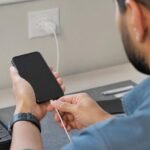
Why Is My iPhone Not Charging? Causes & Fixes
September 24, 2026
iPhone Back Glass Repair in Canada Cost, Process & Where to Get It Fixed
October 1, 2026
iPhone charging port repair can fix issues like slow charging, loose connections, or a port that stops working. Dust, debris, moisture, or damaged internal parts can cause charging problems. Simple cleaning may help, but physical damage usually needs professional repair. A proper inspection can identify the exact cause and prevent further damage. Professional iPhone charging port repair is often a practical way to restore reliable charging.
Why Is Your iPhone Charging Port Failing?
Your charging port isn’t fragile by design but it is a small, intricate component exposed to daily wear, lint, moisture, and physical stress.
Common Causes (+ Diagnosis Tips)
Lint, dust, and debris accumulation (most common; lowest repair cost)
This is the #1 reason iPhones “won’t charge.” Over months of use, dust and lint from your pockets migrate into the port. Flakes of fabric catch around the connector pins, blocking electrical contact. The good news: this is free or nearly free to fix.
Liquid or water damage (medium cost; varies by extent)
Water inside the port corrodes the connector pins and damages the charging circuit. Unlike older iPhones, modern models have water-resistance ratings, but the charging port is a known weak point. Even a spill, humid bathroom steam, or rain can cause issues.
Bent or loose connector pins (medium cost)
Each cable insertion puts tiny stress on the internal pins. Over years of use, or from a single clumsy yank on the cable, pins can bend or even break. A bent pin won’t make solid contact, and the phone won’t recognize the charger.
Physical drop or impact (high cost; may require logic board repair)
A hard drop can crack the port housing or damage the charging IC (the chip that manages power delivery). These repairs sometimes require soldering and cost more.
Wear from repeated use (medium cost; age-related)
iPhones used heavily charged 2+ times daily for 3+ years simply wear out their ports. The connector loosens slightly, and intermittent charging becomes the norm.
DIY Troubleshooting: Is It Something You Can Fix?
Before you spend a dime on professional repair, run through these quick checks. Most “charging port failures” resolve for free.
Before You Spend Money: Quick Checks (5–10 Minutes)
1. Soft reset your iPhone (don’t erase it)
A software glitch can mimic a hardware failure. Force-restart your phone (hold Side + Volume Down, then slide to power off). Wait 10 seconds. Power back on. Try charging.
Time: 2 minutes
Cost: $0
Success rate: ~10–15% (worth trying)
2. Test with a different cable and charger
Borrow a friend’s official Apple cable or certified third-party cable. Plug into a different power adapter (or a computer USB port). Wait 30 seconds for the charging indicator.
Why: ~40% of “port failure” complaints are actually just bad cables.
Time: 1 minute
Cost: $0 (using existing equipment)
3. Check for visible debris in the port
Grab a flashlight. Look directly into the charging port. Scan for lint fibers, dust, or visible corrosion (greenish/white buildup).
Time: 1 minute
Cost: $0
4. Clean the port carefully (compressed air method)
If you see debris, use a can of compressed air (the kind used for cleaning keyboards). Hold the can upright, hold your phone firmly, and use short bursts—1 second on, 1 second off at least 6 inches away from the port. Never use water, rubbing alcohol, or any liquid; never insert anything into the port.
Time: 2–3 minutes
Cost: 10–20 (compressed air kit, if you don’t have one)
Success rate: ~30–40%
Caution: If water damage is suspected, skip this step and move to professional repair.
5. Check for water damage
Look for white, pink, or red moisture indicators inside the charging port (small metallic squares near the connector). Also check the SIM card slot it often has a moisture indicator too.
Time: 1 minute
Cost: $0
When to Stop DIY & Call a Professional
Stop if:
- The port is visibly bent, cracked, or loose
- Cleaning didn’t work after 2 attempts
- You see moisture indicators
- Your phone has a history of drops
- You’re not comfortable opening or inspecting your phone (and there’s no shame in that)
Why professionals win:
They can diagnose internal damage you can’t see corrosion on the logic board, broken solder joints, damage to the charging IC (power management chip). They also have proper tools, replacement parts, and warranty protection. A failed DIY attempt can damage other components and make professional repair more expensive.
iPhone Charging Port Repair: Cost Breakdown by Provider (Canada)
The cost and timeline depend entirely on who you trust with your phone.
Apple Authorized Service (Apple Store + Apple Certified Repair Partners)
Average cost: 280–400 CAD (varies by model and damage severity)
Warranty: 90 days on repair; covered under Apple Care+ if enrolled (with $29 deductible for accidental damage)
Turnaround: 3–7 business days (may vary by location; some locations offer walk-in service)
Pros:
- Official replacement parts (genuine Lightning connectors or USB-C ports)
- 90-day warranty on the repair itself
- Comprehensive diagnostics (they’ll inspect for related damage)
- Apple Support continuity (if issues arise, Apple handles follow-ups)
Cons:
- Longest wait time (often 1–2 weeks for bookings in major cities)
- Highest upfront cost
- Limited availability in rural areas
- Inconvenient for users who need their phone urgently
Who should choose Apple: Users who value warranty peace of mind, have Apple Care+, or are repairing high-end models where parts quality is critical.
Third-Party Certified Repair (uBreakiFix, iRepex, Local Independent Shops)
Average cost: 150–280 CAD
Warranty: 30–90 days (varies by shop; check their policy upfront)
Turnaround: 1–2 business days (same-day service often available)
Pros:
- Significantly cheaper (40–50% less than Apple)
- Much faster (1–2 days vs. 3–7 days)
- Convenient locations (most Canadian cities have multiple options)
- Often have parts in stock (minimal wait)
Cons:
- Quality and warranty vary widely by shop
- Some use aftermarket or refurbished parts (not always bad, but not OEM)
- Inconsistent warranty terms (read the fine print)
- Less brand prestige (some users worry about quality)
How to vet a third-party shop:
- Check Google reviews (4.5+ stars, 50+ reviews is a good baseline)
- Ask if they use OEM or aftermarket parts (OEM = original Apple parts; aftermarket = compatible but not made by Apple)
- Confirm warranty in writing before repair
- Ask how long they’ve been in business
Who should choose third-party: Users on a budget, those who need their phone urgently, and anyone comfortable with an aftermarket part + shorter warranty.
DIY Repair (If You’re Tech-Savvy)
Average cost: 50–120 CAD (replacement port + tools; varies by iPhone model)
Warranty: None (you’re entirely responsible if something goes wrong)
Turnaround: 1–3 hours (if you know what you’re doing)
Pros:
- Cheapest option by far
- Fastest turnaround
- Full control over parts (you choose OEM or aftermarket)
Cons:
- Extremely high risk if you’ve never done it
- Modern iPhones have soldered components (not user-replaceable without special equipment)
- No fallback if you damage other components (screen, logic board, battery)
- Voids Apple’s warranty entirely
- Requires specialized tools (micro-soldering station, heat gun, replacement port, etc.)
Real talk: Unless you’ve repaired iPhones before, don’t attempt this. The internal components are micro-sized and easy to destroy. One slip with a soldering iron can cost you $500+ in logic board replacement. It’s worth the extra 100–150 to have a professional do it.
Who should attempt DIY: Experienced phone repair hobbyists only. Everyone else: pay the pro.
Quick Comparison: Cost, Warranty & Turnaround
| Provider | Cost (CAD) | Warranty | Turnaround | Convenience |
| Apple Authorized | 280–400 | 90 days | 3–7 days | Reliable, slower |
| Third-Party (uBreakiFix, iRepex) | 180–300 | 30–90 days | 1–2 days | Fast, cheaper |
| Independent Local Shop | 150–280 | 30–90 days (varies) | 1–3 days | Cheapest, quality varies |
| DIY (if experienced) | 50–120 | None | 1–3 hours | Fastest, high risk |
AEO Insight: If your phone is actively charging (even intermittently), get it repaired within 1 month. Delayed charging often signals other logic board degradation, and waiting increases the risk of costlier repairs.
Charging Port Repair vs. Wireless Charging Hybrid
Not every charging failure needs a full repair. Sometimes, a workaround makes financial sense.
When Wireless Charging Is a Viable Alternative
Cost of MagSafe setup: ~50–80 CAD (charger + compatible case)
Repair cost avoided: 180–400 CAD
Net savings: 100–350 CAD
Best for:
- Users with intermittent charging issues (not complete failure)
- Budget-conscious users who don’t mind slower charging
- Older iPhones (iPhone 8, iPhone X) where a repair might not be worth it anyway
- Users who charge infrequently (1x per day or less)
Tradeoffs:
- Wireless charging is slower (15W MagSafe vs. 20–27W wired USB-C)
- Requires a compatible case (thicker case = even slower charging)
- Not ideal for road trips or situations where you need fast charging
- Doesn’t fix the underlying port damage (just bypasses it)
My take: If your phone is <4 years old, repair the port. If it’s 5+ years old and you’re already considering replacement, MagSafe is a sensible stopgap. But don’t use it as a permanent “avoidance strategy” eventually, the phone will need either a repair or replacement.
How to Prevent Charging Port Damage (Expert Prevention Framework)
The best repair is the one you never need. Here’s a framework to extend your charging port’s lifespan.
Daily Habits That Extend Charging Port Life
Use a cable organizer or clip
Every time you yank on your cable, you’re stressing the internal connector pins. A simple velcro cable organizer or binder clip keeps the cable taut and reduces stress. Cost: 5–10. Impact: Reduces port wear by ~30% (estimated).
Clean your iPhone’s port monthly
Set a calendar reminder. Once a month, grab your compressed air can and do a 30-second port cleaning. Takes 2 minutes. Prevents lint accumulation and catches debris early.
Avoid storing your phone in lint-heavy pockets
Coin pockets, loose jean pockets, and sweater pockets are lint factories. If possible, store your phone in a bag or dedicated pocket. If you must use a pocket, use one with minimal lint generation (smooth fabric like nylon).
Remove your phone case during charging in humid environments
Bathrooms, kitchens, and humid climates trap moisture inside cases. Remove the case during charging to let heat and moisture escape. It takes 5 extra seconds and significantly reduces water damage risk.
Use official Apple cables or certified third-party cables
Off-brand, cheap cables have looser connectors and degrade faster. Official Apple cables (USB-C or Lightning) have better engineering. Certified third-party options (Anker, Belkin) are solid too. Avoid random Amazon knockoffs.
Long-Term Protection Strategies
Consider a protective case with a charging-port cover
Some rugged cases include a small rubber cover for the charging port. It adds minimal bulk and blocks dust when your phone isn’t in use. Good for people in dusty environments (construction, outdoor work, travel).
Switch to MagSafe for occasional charges
If you have a second charger (desk charger, car charger), make it a MagSafe charger. This reserves your wired port for fast-charging emergencies. Every time you avoid using the port, you extend its lifespan.
Keep your phone away from extreme moisture
Direct splashes, steam, and humidity are the enemy. Don’t charge your phone in the shower (yes, people do this). Avoid charging in direct rain. These small choices compound over years.
Warranty & Coverage: What You Need to Know
Before you pay for a repair, understand what’s already covered.
Apple Care+ Coverage
Does it cover charging port damage?
Yes, partially.
- Manufacturing defects (port fails on its own): 100% covered, no cost
- Accidental damage (you dropped it, water damage, etc.): Covered with a $29 CAD deductible
- Important: Liquid damage technically requires a deductible, though Apple sometimes waives it for minor moisture
How to file a claim:
- Go to support.apple.com or call Apple Support (1-800-275-2273 in Canada)
- Describe the issue
- Apple will either mail you a replacement or direct you to an authorized repair center
- Process typically takes 5–10 business days
Cost: Apple Care+ is ~10–15 CAD/month or a one-time ~$200 CAD for new devices. If you’re on a payment plan, it’s often included.
Manufacturer Warranty (Standard 1-Year)
What’s covered:
- Manufacturing defects (port fails due to faulty design or materials)
- No accidental damage coverage
- No liquid damage coverage
What’s NOT covered:
- Any physical damage (drop, bend, impact)
- Liquid damage (even partial)
- Normal wear and tear
How to check your coverage:
Visit support.apple.com, sign in, and click “View Coverage” under your device. Or visit an Apple Store Genius Bar and they’ll check for you.
Key point: The standard warranty only covers defects, not accidents. If your port fails from debris or normal use, you’ll pay out of pocket.
Third-Party Repair Warranties
Typical coverage: 30–90 days (parts and labor)
What’s usually covered:
- The repaired component (the new charging port)
- Labor (if the repair fails immediately)
What’s NOT covered:
- Subsequent damage (if you drop it again)
- Liquid damage (most shops exclude this)
- Related component failure (if repair damages the logic board, many shops won’t cover that)
How to claim:
Return to the repair shop with proof of purchase (receipt). Most shops will re-repair or provide a replacement for free within the warranty period.
Red flag: If a shop won’t put warranty terms in writing, go elsewhere. Reputable shops are always transparent about coverage.
Where to Find iPhone Charging Port Repair in Canada
Apple Stores & Apple Authorized Service Providers
Official locator: Visit support.apple.com/repair or call 1-800-275-2273
Provinces with highest density: Ontario, British Columbia, Alberta, Quebec
Booking: Most locations allow online booking (1–2 week wait in major cities)
Pro tip: Call ahead to confirm they have parts in stock. In rare cases, they’ll order from a regional distribution center, adding 3–5 days.
Locations by province (sample):
- Ontario: Apple Stores in Toronto, Ottawa, Mississauga; dozens of authorized partners
- British Columbia: Apple Stores in Vancouver, Burnaby; several authorized partners in lower mainland
- Alberta: Apple Store in Calgary, Edmonton; authorized partners throughout
- Canada-wide: Best Buy (Apple service partnership) at every major location
Third-Party Repair Chains
uBreakiFix (USA-based, expanding Canada)
- Locations: Ontario, British Columbia (growing)
- Turnaround: 1–2 hours (same-day in most locations)
- Average cost: 180–260 CAD
- Warranty: 1-year parts, 30-day labor
- Website: ubreakifix.com/repairs/smartphones/iphone/services/charging-port-repair
iRepex (Canada-based, specializes in Apple)
- Locations: Ontario (multiple GTA locations), expanding to other provinces
- Turnaround: 1–3 hours or next-day service
- Average cost: 180–280 CAD
- Warranty: 30–90 days (varies by location)
- Website: irepex.com/our-services/apple-services/iphone-repair/charging-port-battery-repair/
Independent local shops (search Google “iPhone repair near me”)
- Turnaround: 1–3 hours (often same-day)
- Cost: 150–250 CAD (usually cheapest)
- Warranty: Verify upfront (30–90 days typical)
- Red flag: Avoid shops with <3.5 star reviews or fewer than 20 reviews
Tips for finding a reputable shop:
- Read Google reviews (weight recent reviews more heavily)
- Ask if they use OEM or aftermarket parts
- Confirm warranty in writing before handing over your phone
- Check if they’re part of a larger network (chain shops tend to have more accountability)
Conclusion
A damaged or faulty iPhone charging port can make charging unreliable and eventually prevent your phone from charging altogether. Before replacing the port, simple issues such as dust, lint, a damaged cable, or software glitches should be ruled out. If the port itself is damaged, professional iPhone charging port repair can restore reliable charging without necessarily requiring a new phone.
FAQs
How long does iPhone charging port repair really take?
Most third-party shops complete repairs in 1–2 hours. Apple service typically takes 3–7 business days. Same-day service is available at major third-party chains (uBreakiFix, iRepex) in most Canadian cities. If you need your phone urgently, a third-party is your best bet.
Can I use a third-party cable instead of repairing the port?
Only if the port itself isn’t damaged. A new cable fixes ~40% of “won’t charge” problems. If the port is bent, loose, or corroded, a cable won’t help. Try a new cable first (costs 20–40); if it doesn’t work, the port needs repair.
Is it worth repairing an older iPhone vs. buying a new one?
If your phone is <4 years old: Repair is almost always worth it. Cost: 200–350 CAD. Replacement: $1,000+ CAD. The math is obvious.
If your phone is 5+ years old: Consider the overall condition. Battery health? Screen condition? If the battery is already degraded and the screen is cracked, repair might not be worth it. If the phone is otherwise healthy, repair is still cheaper than replacement.
Rule of thumb: Repair if the cost is <20% of a replacement device’s price.
Does Apple warranty cover water-damaged charging ports?
Standard warranty: No, liquid damage voids the warranty.
Apple Care+: Partially covered. You’ll pay a $29 CAD deductible. Apple sometimes waives the deductible for minor moisture exposure, but you’ll need to call and explain the situation.
Prevention: Keep your phone away from bathrooms, pools, and rain. Don’t charge in humid environments without removing the case.
What’s the difference between cleaning and replacing a charging port?
Cleaning: Removing debris (dust, lint) with compressed air or a soft brush. Free or cheap (0–20). Success rate: ~30–40%. Best for preventive maintenance.
Replacing: Removing the old connector and soldering a new one. Professional-only. Cost: 200–400 CAD. Success rate: ~95%+. Necessary if the port is bent, cracked, or internally corroded.
Most modern repairs are replacements, not cleaning, because damage has usually progressed beyond debris.

2 Comments
[…] Phone repair costs vary by location. Here’s what to expect: […]
[…] depends on the model and the cause. A cable swap costs little, while a battery or port repair costs more. Check Apple Canada’s live pricing and get a written quote from any […]